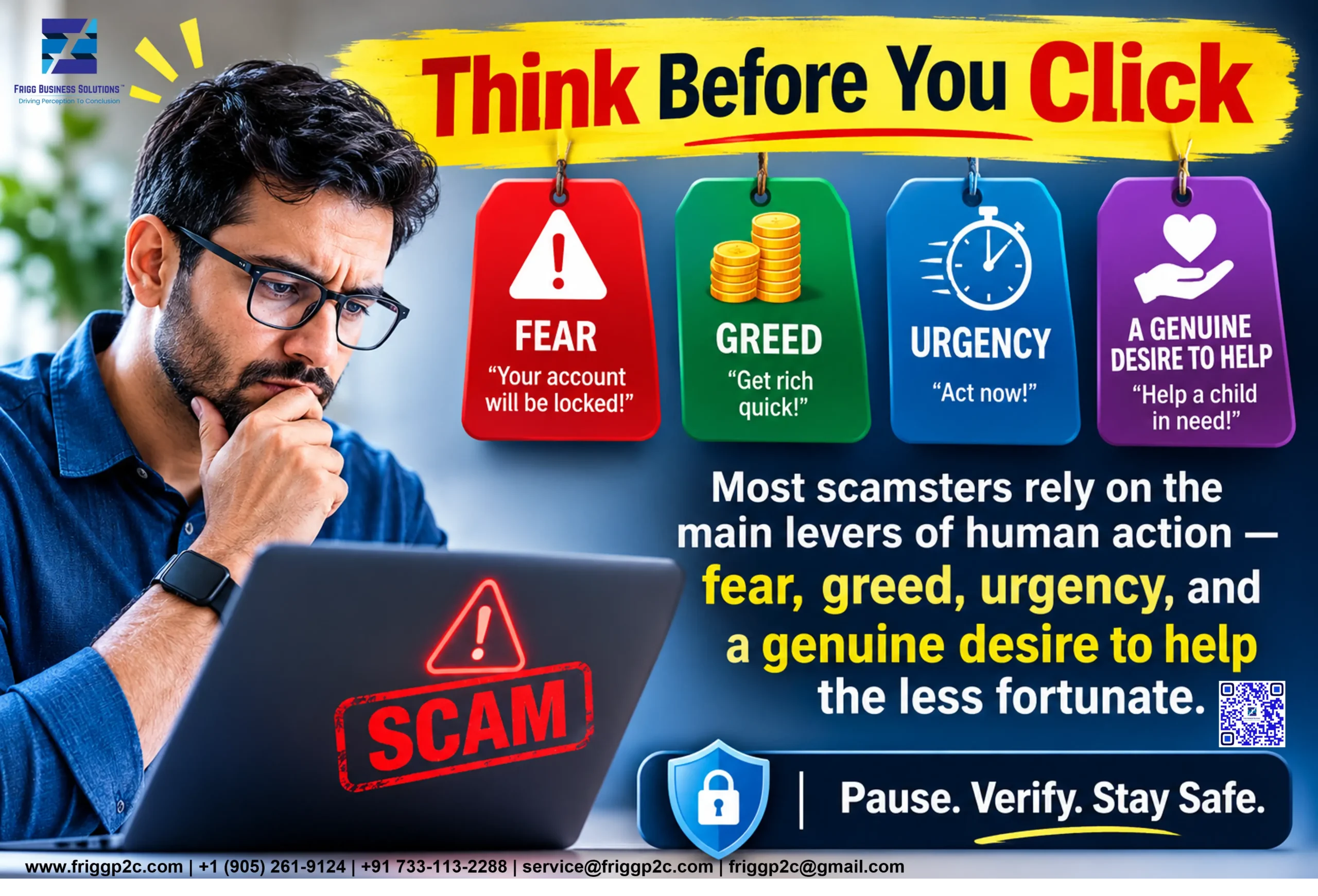
Most scamsters rely on the main levers of human action ― fear, greed, urgency, and a genuine desire to help the less fortunate. Social engineering ― the term used for various methods used to defraud people of money and property ― relies on these levers of action to make people perform actions they normally would not have, such as divulging sensitive personal information. Bad actors using social engineering pretend to be figures representing the government or other authorities; IT support tech team members; close associates, even family members in distress; or famous brands. Sometimes, these bad actors draw information from sources in the public domain. This means that you should be cautious about what information you share on public platforms.
What Is Social Engineering In Daily Life?
Some of the typical examples of social engineering are phishing, vishing, smishing, and quishing. Social engineering does not rely on technology used to hack or other tools typically used to get past firewalls and other data security controls. These fraudulent activities have been around for more than a decade, though quishing (short for QR code phishing) is a relatively new scam which received its relevance from the practice of scanning a QR code to effect payments online, and sometimes even in store. It depends on manipulating people so that they click on links or respond to SMS (smishing) or WhatsApp messages, which can compromise your personal and financial data.
Vishing (Short for Voice Phishing) Attack
Vishing attacks typically use ordinary phone calls, Voice Over Internet (VOIP) calls, or voicemails to trick you into revealing sensitive data. Consider this scenario: You get a call from a scammer early in the morning, or in the middle of the night. Typical human reaction would be to imagine that it is some kind of family emergency, or a probable bereavement. Then, the caller tells you that there is a very important notification from the government for you, and tells you to press 9 to get the details. Don’t. You should come wide awake, disconnect the call, and check the number on Truecaller, or similar app. If it says that the call was from an unknown number in a country where none of your family members or friends live; then you know it was a vishing attack. Many of these scams target the unthinking and the over smart.
Press as Directed, and Get Your Bank Account/Accounts Cleaned Out
When you receive a robocall, message, or a call from a live agent telling that your bank account is at risk of being deactivated, or that you have violated some major law or regulation for which some government agency is looking for you; you should instantly become wary. No government agency anywhere in the world would do so. If on top of that, you are told that to know the details, you need to press 9/#9/9#/#9# ― any of these ― you should definitely not do any such thing. If you are actually stupid enough to do so, your phone will be hacked, and you risk having your bank account/accounts cleaned out. Further, scamsters are using AI for voice cloning to make you think that the call is really from a distressed family member or close friend.
Your Smartphone Can Be Your Undoing
In data security, an ounce of prevention is definitely worth several pounds of cure. You definitely should not share any one time password (OTP) sent to you by a bank or other organization where your credit card details or social security number is saved. Also, never share any PIN, login details, response to security question, UPI approval, or similar sensitive data over the phone or email. You should never click on any links sent you via email, messages, or WhatsApp, even if it is apparently from a trusted source. Instead copy the link and paste it on the browser of your gadget ― laptop, I-Pad, or other smartphone. If you use some effective antivirus software, or just Windows Defender, the browser will warn if the website seems suspicious or shady.
Staying Safe Is In Your Own Hands
If you are told to scan a QR code sent to your phone, don’t unless you desire to be bereft of your savings. Your own QR code is needed only to receive money. If you scan somebody else’s QR code, it lets your bank to make payments. This kind of cyberattack is known as quishing, and it tricks you into downloading malware, visiting a corrupted fake website, or purchasing something you don’t really need by creating a sense of urgency by telling you to update your credentials. Unless you have made a call to some customer support call center, don’t press any digits if anybody tells you to. Staying safe is in your own hands ― almost literally!
Phishing ― The Oldest Trick in the Book
When use of emails began to replace snail mail and letters as a form of communication, people began to receive emails telling that some general or former ruler of a country, usually in Africa, had died leaving behind a massive fortune, but there were no surviving family members or legal heirs. Therefore, the sender of that email was giving you an opportunity to claim that fortune by sending personal bank details, and access information. Another version requested the recipient to send money to pay customs duty to clear the fortune which was stashed in boxes, and waiting at the local airport. Yet another variation told you claim the fortune by filling up a form after clicking on a link embedded in the email.
Takeaway
Protecting sensitive data is your responsibility. Follow this space to help you understand how you can safeguard your personal data, and even organizational data.
Think Before You Click: Protect Yourself from Online Scams.
Connect with Frigg’s experts today for tailored guidance, proactive strategies, and compliant frameworks that strengthen security, ensure resilience, and accelerate confident growth outcomes.
Get in touch with us at: service@friggp2c.com, info@friggenix.ae, amit.sarkar@friggp2c.com, or Call us at: +1 (905) 261-9124 | +1 (905) 261-9123 | +1 (866) 907-7227 | +91 733-113-2288 | +971 58 137 9867
Build resilience today to protect your data, operations, and reputation tomorrow.
About the Authors
Harini Pallavi
Harini is one of the principal auditors for Frigg Business Solutions. She is an accomplished information security expert who led critical security initiatives that shielded multinational corporations from cyber-attacks, thwarted data breaches, and secured critical infrastructure.
Harini has successfully implemented the Health Information Trust Alliance – (HITRUST) common security framework and ensured 100% compliance in all these organizations. She is a Certified Risk Professional (CRiSP), Information Security Lead Auditor, HITRUST Implementor, HIPAA Compliance Expert, and Certified in Six Sigma (Black belt & Green belt).